
eCommerce Playbook: WhatsApp for Online Stores
Lists of WhatsApp features for online shops are easy to find and nearly useless, because they present ten unrelated ideas as if you should do all of them. You should not. WhatsApp earns its place in an online store at four specific points in the customer journey, and the order in which you tackle them decides whether the channel pays for itself in the first month or the sixth.
This playbook walks through those four points, in the order they are worth building.
Start with post-purchase, not pre-purchase
Nearly everyone starts with promotion. The better first move is the order confirmation.
The reasoning is practical. Post-purchase messages are expected, which means they generate almost no complaints, almost no blocks, and therefore no damage to your quality rating while your account is new and fragile. They reduce inbound "where is my order" volume immediately. And every one of them puts your business into the customer's WhatsApp list, so the promotional messages you send later go to people who already have a thread with you.
The messages worth automating, roughly in order of value:
Order confirmation, sent within seconds of checkout.
Dispatch notification with a tracking link.
Delivery-day reminder, especially where someone needs to be present.
Delay notification. Sending this unprompted is the single most goodwill-generating message in the set, and the one most businesses avoid sending.
Post-delivery check, three to five days later, which doubles as a review request.
Get these right and the questions they pre-empt stop arriving in your inbox, before you have run a single campaign.
Cash on delivery: confirm before you dispatch
If you accept cash on delivery, this is likely the highest-value automation available to you, and it is worth doing before anything promotional.
The pattern is simple. When an order comes in, the customer receives a WhatsApp message showing what they ordered, with two buttons — confirm or cancel. A real order gets confirmed in seconds. A mistaken, duplicated or abandoned one gets cancelled before you have paid to ship it.
What makes this valuable is not the messaging; it is the arithmetic. Every cancelled fake order saves the full outbound and return shipping cost plus the handling, and you find out on day zero rather than day four. In markets where cash on delivery is the dominant payment method, this one flow often justifies the whole platform.
Two details worth getting right: send it promptly, while the customer still has the order in mind, and give non-responders a reminder before you treat silence as a cancellation.
Scope Wiser offers two routes to this. Store Automation has a COD Verification action — pick the store, pick the action, pick a template, save. A Webhook Workflow takes longer but lets you rule out card orders and choose your own delay. Both need an approved template with two quick-reply buttons, and the replies land in the prebuilt Confirm Order and Cancel Order flows under Chatbot Manager › Automation › Quick Actions, whose default wording you should rewrite before launch. Verifying Cash-on-Delivery Orders Over WhatsApp is the recipe.
Connect the store so the bot can answer rather than apologise
A bot that says "please check your account for order status" is worse than no bot. The difference between the two is the store connection.
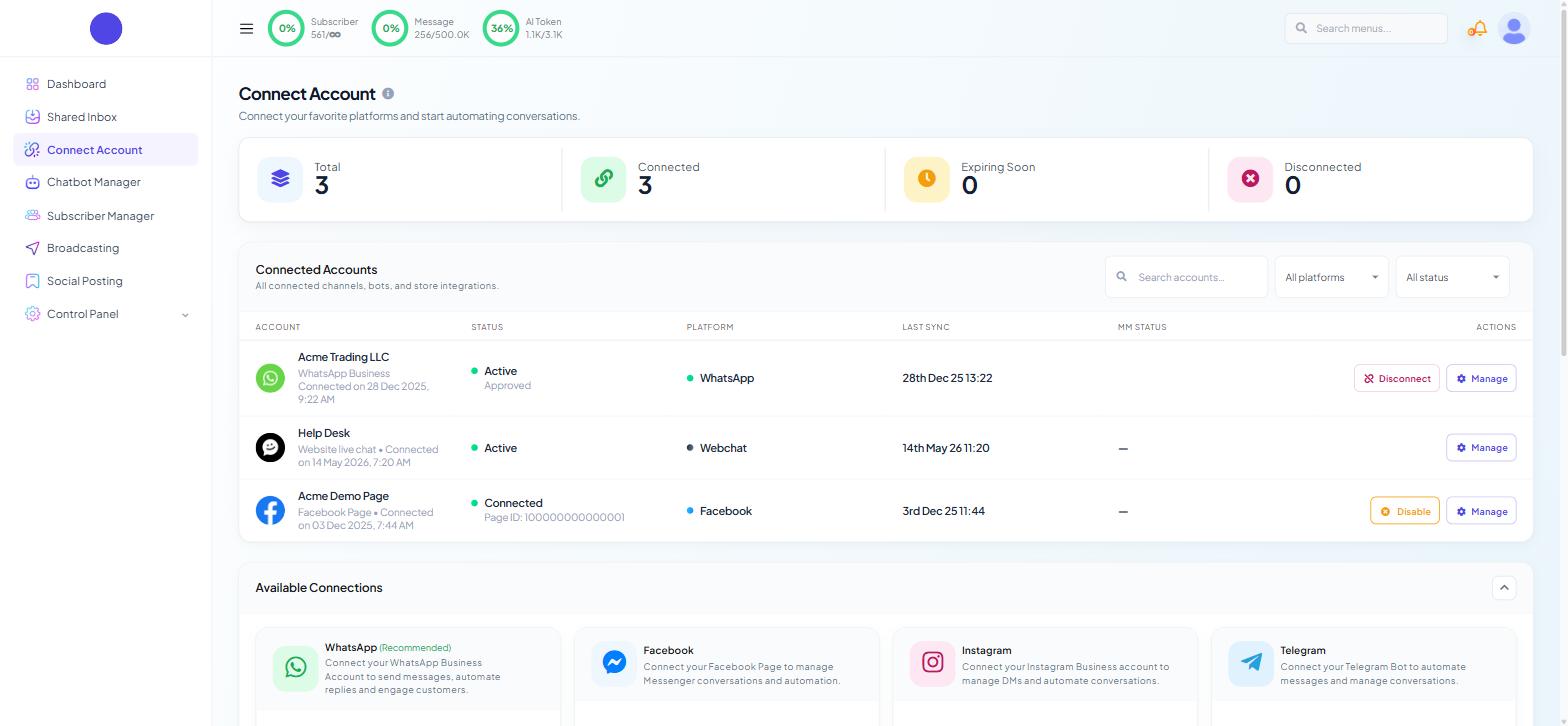
Scope Wiser connects to online stores from Connect Account — Shopify and WooCommerce each have their own connection card. Once connected, the store's events are what trigger the messages above, and the bot can answer order questions with real data instead of a holding reply.
Per-bot commerce settings then live under Chatbot Manager › Commerce, which has two sub-tabs: Store Automation and Product Catalog. Note that the Commerce tab exists on WhatsApp only — Facebook, Instagram and Webchat bots do not have it, so the patterns in this playbook are WhatsApp patterns.
The catalogue, and what it is actually for
A product catalogue in WhatsApp lets customers browse and select without leaving the conversation. It is genuinely useful, and it is also the feature most often deployed in the wrong way.
It works well for narrow, decision-ready selections — the six items in a promotion, the bundle you are pushing this week, the accessories that match what someone just bought. It works badly as a replacement for your website. Nobody browses two thousand products in a chat interface, and trying to make them will produce a worse experience than the site you already have.
The useful framing: your website is for browsing, and the catalogue is for closing. Use a conversation to narrow the choice down to a handful, then show those.
Recovery: one message, well timed, specific
Basket recovery is where most stores expect the largest return, and where the design mistakes are most consistent.
Before the design, two facts about how it works here. Only baskets where the customer entered a phone number can be recovered — so ask for it early in your checkout, or there is nothing to message. And the two stores take different routes: on Shopify recovery is a built-in Store Automation action with a message delay you set; on WooCommerce it is not in the action list at all and runs through a WordPress plugin and a webhook workflow instead. Abandoned Cart Recovery covers both.
Send one message, not a sequence. A single, well-timed reminder does most of the work. The second and third convert a small number of additional orders while annoying everyone who was never going to buy — and on WhatsApp, annoyance has a cost that email does not impose.
Name the item. "You left something in your basket" is ignorable. "Your basket still has the blue kettle in it" is not.
Time it to the product. An impulse purchase wants an hour. A considered one wants a day. Guessing badly in either direction wastes the message.
Do not lead with a discount. Most abandoned baskets are not price objections — they are distraction, an unexpected delivery cost, or a payment method that failed. Discounting all of them trains your customers to abandon deliberately.
Then, and only then, promotion
Once the operational messaging works and you have a list of people who have genuinely bought from you, promotional broadcasting becomes worth doing.
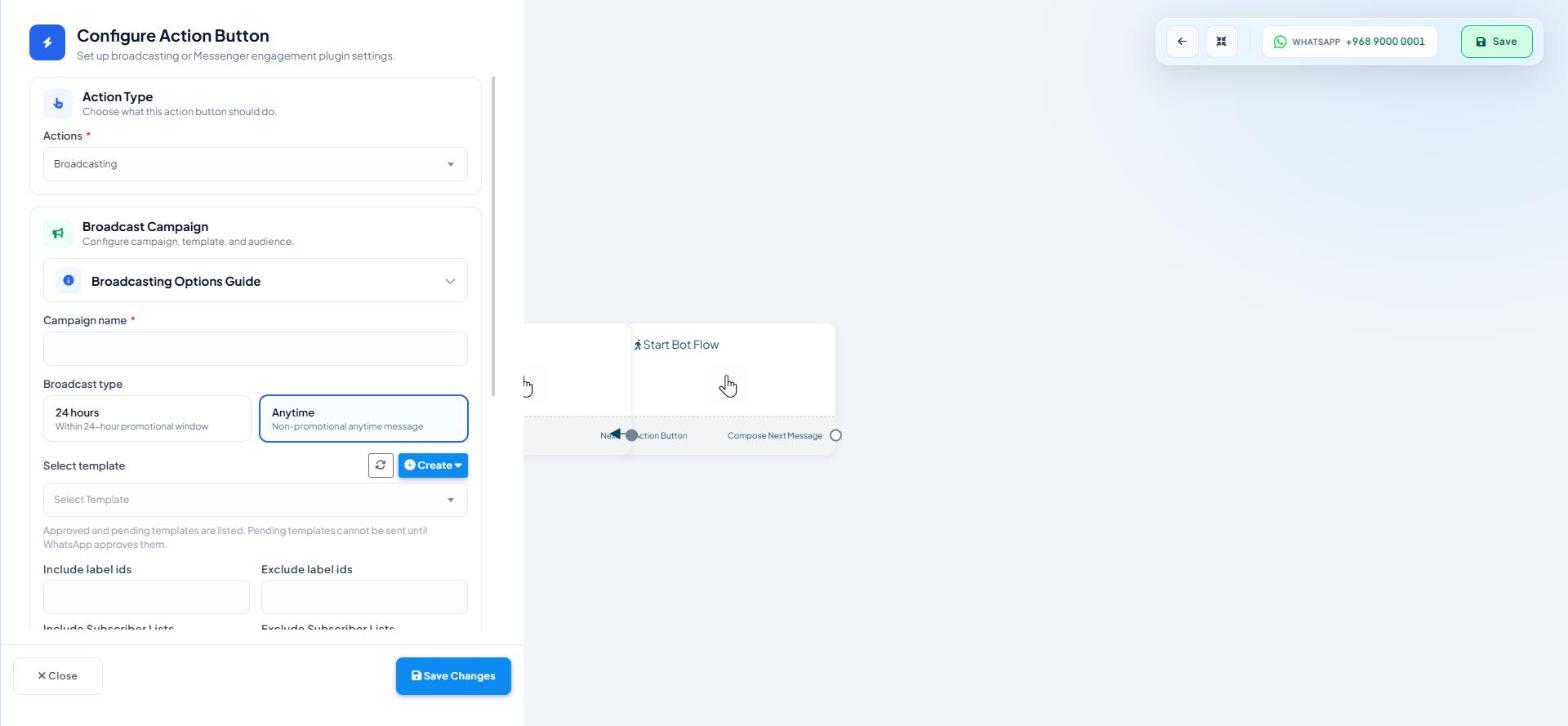
Campaigns are composed in the Flow Builder — Create Campaign in the Broadcast Center opens it with the campaign configuration attached. The audience controls there are the part to spend time on: include and exclude label IDs, include and exclude subscriber lists, country, and custom field matching. The drawer shows you a "Targeted subscribers" count before you send, along with your daily WhatsApp Business Account conversation limit.
Read that count. If it is your entire list every time, you are not segmenting, and an unsegmented WhatsApp list degrades quickly.
Segments that repay the effort in a shop:
Bought once, never again — the largest recoverable group in most stores.
Bought a specific category — restocks and complements land properly here.
Recent browsers who did not buy.
High-value repeat customers, who should get early access rather than the same discount as everyone else.
Reviews and photographs
WhatsApp has a camera in it, which makes it a much better review-collection channel than email. Asking someone to photograph what they bought and send it back is a small request in a chat thread and an awkward one in an inbox.
Ask a few days after delivery, ask once, and make it easy to decline. Route anything negative to a person immediately rather than into a form — a complaint answered by automation becomes a worse complaint.
What to measure
Store metrics, not messaging metrics:
Cash-on-delivery confirmation rate, and the fake-order rate before and after.
Order-status contacts per hundred orders. This should fall visibly once dispatch notifications are live.
Basket recovery rate, measured against the baskets that received a message rather than against all baskets.
Repeat purchase rate among people with a WhatsApp thread versus those without.
Block and unsubscribe rate per campaign. This is your early warning; watch it more closely than the revenue number.
Common mistakes
Promoting before the operational messages work. You spend your quality rating on the lowest-value messages first.
Broadcasting to the whole list every time. The fastest way to make a good list into a bad one.
Building the catalogue as a second website.
Recovery sequences instead of recovery messages.
No human escape route when an order has genuinely gone wrong.
What to do next
If a big sales period is coming, Seasonal Campaign Playbook: Black Friday & Cyber Week covers the preparation timeline and what to have approved in advance. For the wider channel strategy behind all of this, read WhatsApp Marketing: The Complete Guide.