
Regional Guide: WhatsApp Marketing in Emerging Markets
In a great many markets across South Asia, the Gulf, Africa and Latin America, WhatsApp is not one channel among several. It is where people arrange work, talk to their families and buy things. Email is something you have for signing up to services, and a phone call is what happens when something has gone wrong.
That changes the marketing problem in ways that go beyond "use WhatsApp too". The mechanics of reaching people, the tone that works, and the settings that decide whether a campaign lands are all different from a channel where you are a guest.
What actually changes
Attention is not the constraint; permission is. A WhatsApp message will be seen. That is precisely why the platform limits what you may send and to whom, and why the discipline of the channel is stricter than email ever was.
The conversation is the storefront. Customers expect to ask a question, get a photo, agree a price and arrange delivery without leaving the thread. A message that pushes them to a website often loses them, especially on a slow connection.
One number carries the whole relationship. Marketing, support and delivery notifications all arrive in the same thread from the same sender. Get the marketing tone wrong and you damage the support channel too.
The rules you cannot design around
Two constraints shape everything else on WhatsApp. Understand them before you plan a campaign, because most disappointing results trace back to one of them.
The 24-hour window. After a customer messages you, you can reply freely for 24 hours. Outside that window, you may only send an approved Message Template. The Shared Inbox shows this directly — a conversation is flagged Outside 24H Window in its Customer Snapshot.
Templates need approval, and approval takes time. Templates are managed under Chatbot Manager › Automation › Message Templates, with Sync Templates and Create controls. The Broadcast Center is explicit about the consequence: "Approved and pending templates are listed. Pending templates cannot be sent until WhatsApp approves them."
The practical result is that campaign planning starts with template submission, not with copy. Build the templates you will need for a season, submit them together, and treat approval as lead time.
Building the list properly
An audience that has genuinely opted in performs better and gets reported less. Poor quality ratings restrict how many people you can reach, so this is not only an ethics question.
Legitimate ways in, all visible in the product:
A chat entry point on your site. Website widgets are created at Connect Account › Webchat on the Website Chat Widgets screen. A WhatsApp link or button is configured through Chatbot Manager › Engagement › Chat Entry.
Click-to-WhatsApp advertising. Chatbot Manager › Automation › Click Ads holds Campaigns and Ad Sets tabs and a Connect Meta-Ad account control; it appears on WhatsApp bots only, even though the ads themselves run on Facebook and Instagram. In markets where social advertising is cheap and web traffic is expensive, this is often the cheapest first contact you will find.
In-person and printed prompts. A QR code or short link on packaging, a receipt or a shop window converts offline footfall into a conversation you can continue.
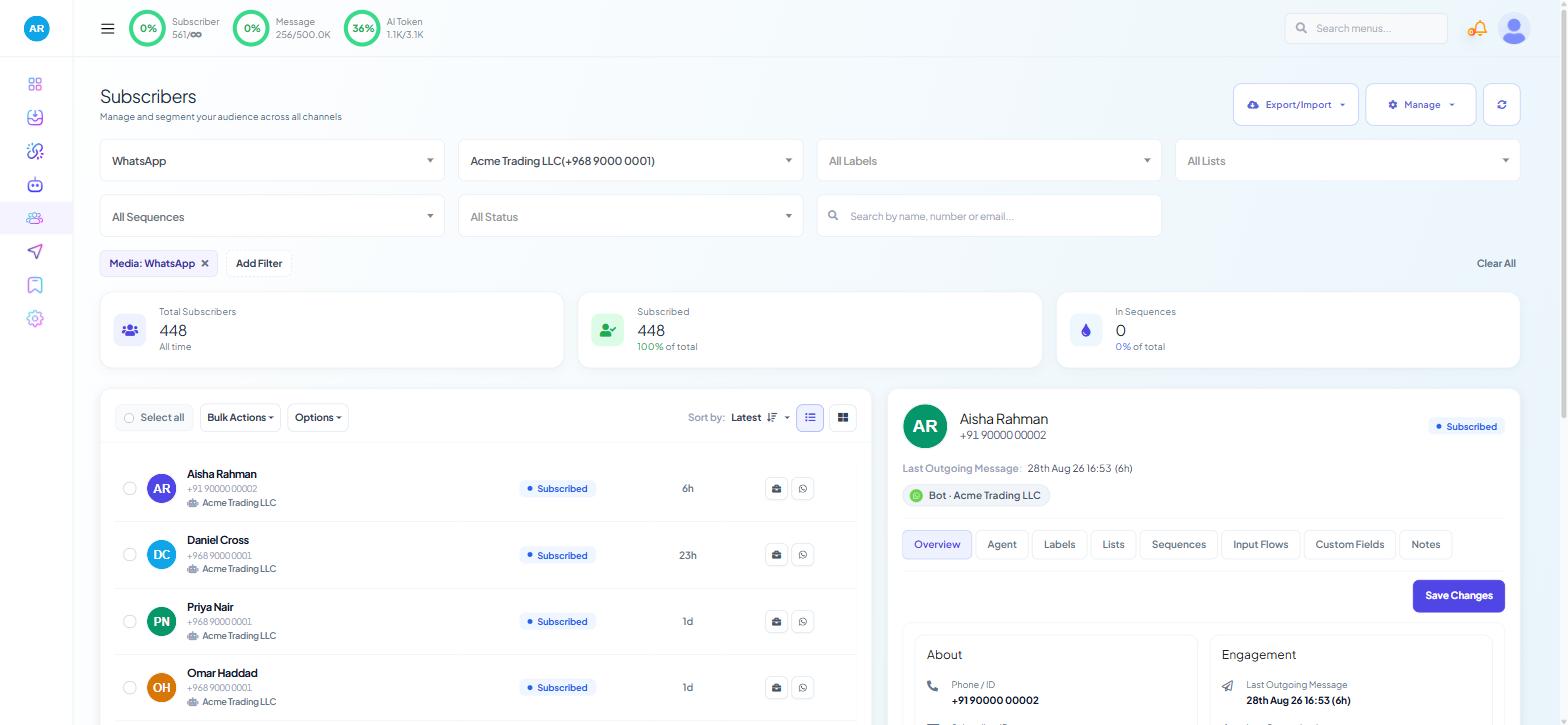
Whatever the source, label subscribers as they arrive. Labels, Lists and Custom Fields are managed from Subscriber Manager › Manage, and they are what turns a list into a set of segments you can actually target.
Sending to the right people
Broadcasting opens the Broadcast Center. + Create Campaign opens the Flow Builder with a campaign drawer whose filters matter a great deal for a multi-country operation:
Country of the subscriber — the single most useful control if you trade across borders.
Include label ids / Exclude label ids and Include Subscriber Lists / Exclude Subscriber Lists.
Custom Field with a Custom field contains value condition.
Assign label after broadcast, so you can tell later who received what.
Sending time, with a Send later toggle.
Before sending, the drawer shows Targeted subscribers and your Daily WhatsApp Business Account (WABA) conversation limit. Read both. Discovering the limit after you have started a campaign is a poor way to learn it.
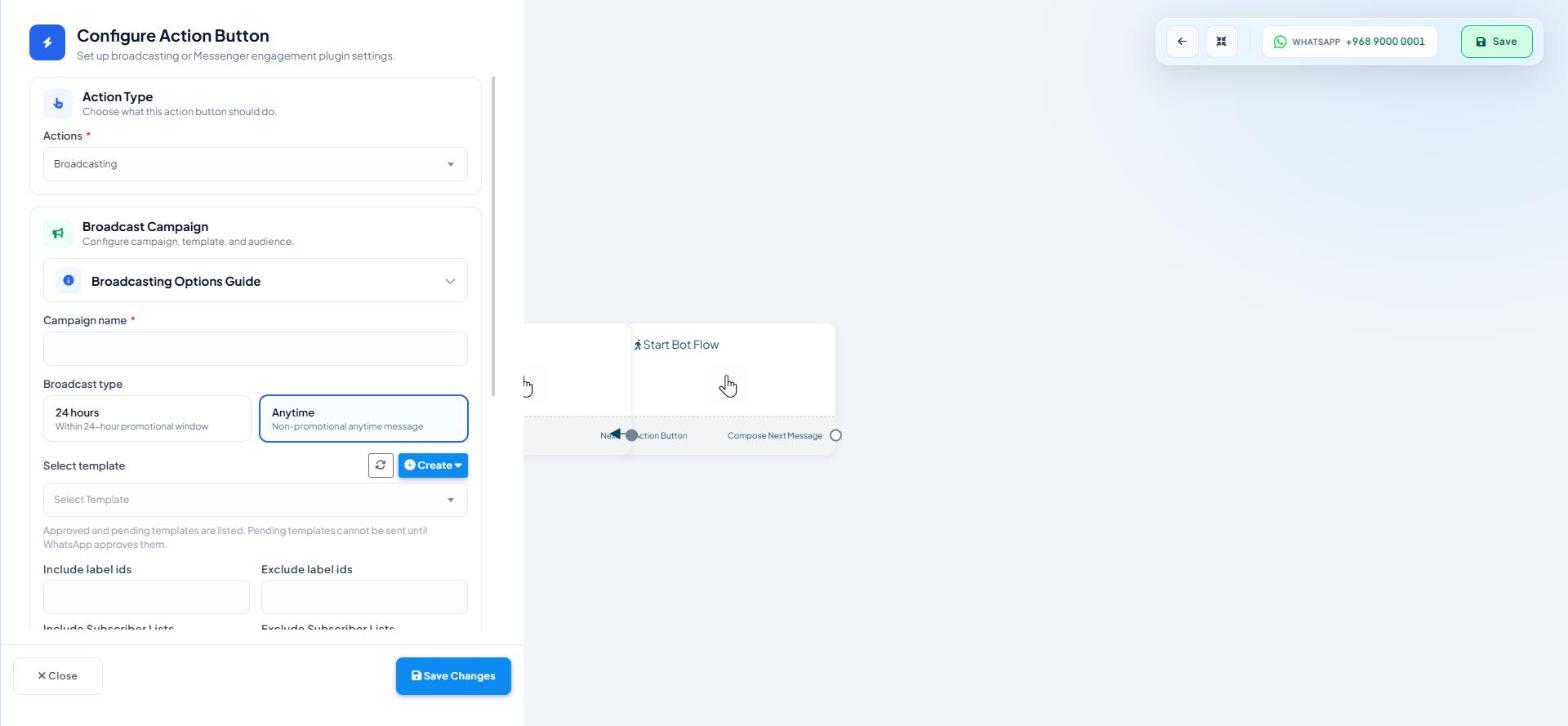
Also note the Broadcast type choice: 24 hours ("Within 24-hour promotional window") or Anytime ("Non-promotional anytime message"). The dividing line is when the subscriber last messaged you, not how promotional the content is: 24 hours sends free-form messages to people who wrote to you in the last day, while Anytime reaches everyone else and needs an approved template. Most campaigns are Anytime.
Language and time
Two settings that are easy to skip and expensive to get wrong.
Under the profile menu at Account, the Update Account form includes TIMEZONE, APPLICATION LANGUAGE and LIVECHAT TRANSLATION LANGUAGE. Set the timezone before you schedule anything — a campaign sent at 9am in the wrong zone arrives in the middle of the night, and on WhatsApp that is a block rather than an ignored email.
Business hours are set separately for AI handling. With the AI Agent toggle on, Chatbot Manager › AI › AI Configuration shows a read-only Business Hours card — Time Zone, Business Hour and Off Days — with an Edit control that takes you to Bot Settings › Business Hour, where you actually set them. Set these to your local reality, including the local weekend, which is not Saturday and Sunday everywhere.
On language, mixed-script and code-switched writing is normal in most of these markets — customers routinely type their own language in Latin script, or switch mid-sentence. An AI agent handles this far better than keyword matching does, which is a good reason to run keywords with AI as a Fallback Only rather than relying on keywords alone.
Selling in the conversation
WhatsApp is the only channel with a Commerce tab in Chatbot Manager, holding Store Automation — headed "WC/Shopify Automation" — and Product Catalog. Under Connect Account, the available connections include Shopify and WooCommerce.
If you run on a local platform not listed there, the route is Chatbot Manager › Integrations › HTTP API for lookups, and Automation › Webhook Workflows for events your store pushes to you.
Payment is where the conversation most often has to reach outside the thread, and how that works depends entirely on your market's payment infrastructure. Cash on delivery, a bank transfer the customer sends evidence of, and a card gateway attached to a catalogue are all handled differently — Cash on Delivery & Online Payments in Chat and Payment Gateways: TAP, Instamojo & Razorpay cover which is which. Whichever applies, design the handover deliberately: agree the order in chat, send one clear payment instruction, and confirm receipt back in the thread so the customer never wonders whether it worked.
Where this works best
The pattern repeats across sectors that share one trait: a considered purchase that people would rather discuss than research.
Retail and D2C use it for product questions and order updates. Clinics and salons use it for booking and reminders. Motor dealers and estate agents use it for enquiries and viewings, where a photo answered within minutes decides who gets the visit. Schools and colleges use it for admissions questions and results notifications, reaching parents who do not read email.
In each case the winning implementation is the same: fast, specific, in the customer's language, and with a person available when the automation runs out.
What to do next
If the channel is not connected yet, start with How to Connect WhatsApp to Scope Wiser: Complete Setup Guide, then WhatsApp Business Profile, Verification & Limits for the messaging tiers and quality ratings that govern how many people you can reach. For selling in the conversation, Industry Deep Dive: D2C eCommerce covers the agent split that keeps sales and order questions apart.