
Industry Deep Dive: D2C eCommerce
Every growing direct-to-consumer brand ends up with the same two questions filling its inbox: "do you have this in a medium?" and "where is my order?"
They look similar — both are short, both are urgent to the sender — and they have nothing in common underneath. One is answered from material you control and changes rarely. The other can only be answered by asking another system about one specific customer. Building both into a single bot produces a bot that is mediocre at each.
Two agents, split along that line, is the architecture that works.
The dividing line: static knowledge versus live lookup
This distinction runs through everything below, so it is worth stating plainly.
Knowledge set holds what is true for everyone and changes slowly — size guides, fabric and care information, delivery timescales by region, the returns window, exchange procedure, refund timings. Attach it under Knowledge Sources on the agent, using Content, URL, File or Media.
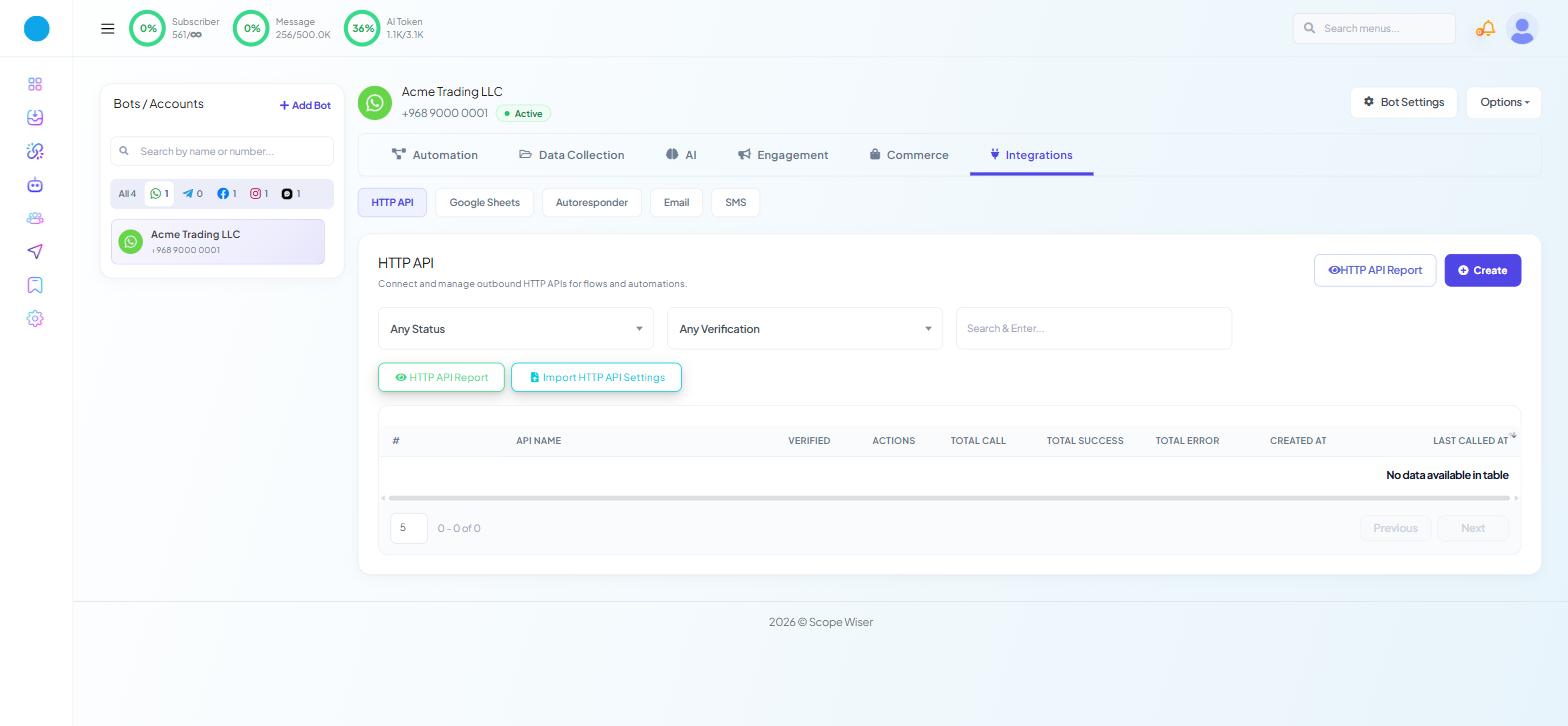
API lookup provides what is true for one customer right now — this order's status, this tracking reference, this item's remaining stock. That comes from Chatbot Manager › Integrations › HTTP API, called when the agent has what it needs.
Getting this wrong is the most common failure. A brand trains delivery status into the knowledge set as "orders usually arrive in 3–5 days", and the agent confidently tells a customer whose parcel is stuck in a depot that it will arrive tomorrow.
There is a middle case worth knowing about: a Google Sheet knowledge source suits data that changes often but is not customer-specific — this week's stock on your twenty best sellers, a promotion end date, which lines are discontinued. Your merchandising team can maintain it without touching a prompt.
Agent 1 — Sales and styling
Created under Chatbot Manager › AI › Agents with + Create Agent, this agent handles everything pre-purchase: understanding what someone wants, narrowing it down, and getting them to a confident decision.
Its SYSTEM PROMPT should define what it needs to gather before recommending anything — for apparel that is usually occasion or style, size, budget, and any colour or fabric preference — and how to gather it. One or two questions at a time, never re-asking what has been answered, using every detail given in a single message. A stylist, not a form.
The knowledge instruction is the same discipline as everywhere else: answer product questions from the connected knowledge, never invent a price, a stock level or a product that does not exist.
Two things it does that a support agent does not:
Sends product images on request. The Media knowledge source type exists for this. Load product images with descriptions so the agent can match a request to the right picture.
Labels the outcome. A prospect who shows clear buying intent should be labelled, and one who is browsing should be enrolled in a follow-up sequence rather than dropped. Both are actions inserted into the prompt via the ## autocomplete — type ## in the SYSTEM PROMPT field, pick the action from the list that appears, then pick its parameter.
Labels applied here are what makes the audience useful later. Broadcasting's campaign drawer filters on Include label ids, Exclude label ids, Include Subscriber Lists and a Custom Field value, so the segment you build in conversation is the segment you can message.
Agent 2 — Order status and post-purchase
Precision rather than persuasion. Its defining behaviour is that it never speculates about an order.
The prompt sequence matters:
Collect the required identifiers — typically order number plus the email used at checkout.
Save each one as it arrives.
Only when both are confirmed, call the order-status API.
Translate the response into plain language: current status, carrier and tracking reference, estimated delivery, any exception.
Never show raw API output, error codes or field names.
Step 3 is the rule most implementations break. Calling the API with a missing parameter returns nothing useful, and an agent holding an empty response is an agent tempted to fill the gap itself.
The knowledge set for this agent holds only general policy — shipping timescales by region, how exchanges work, how long refunds take. Everything customer-specific arrives from the API.
Routing
In Chatbot Manager › AI › AI Configuration, turn on AI Agent, select both in Active Agents, and add routing rules with + Add Rule.
Message signals | Agent |
|---|---|
size, colour, fit, style, recommend, price, show me, budget, collection, what do you have | Sales and styling |
order, tracking, delivery, shipped, arrived, exchange, return, refund, package, damaged | Order status |
"I ordered last Tuesday and haven't heard anything" routes to the order agent without containing a single one of those words, because the rules describe intent rather than list triggers. And because an agent can transfer a conversation to the other agents listed in Active Agents, a customer who resolves a sizing question and then asks about a previous order moves across mid-conversation.
Turn on Enable Contextual Memory, or the second agent will re-ask for details the first already has.
What differs by channel
This is where D2C brands get caught, because the same two agents behave differently depending on where the conversation happens.
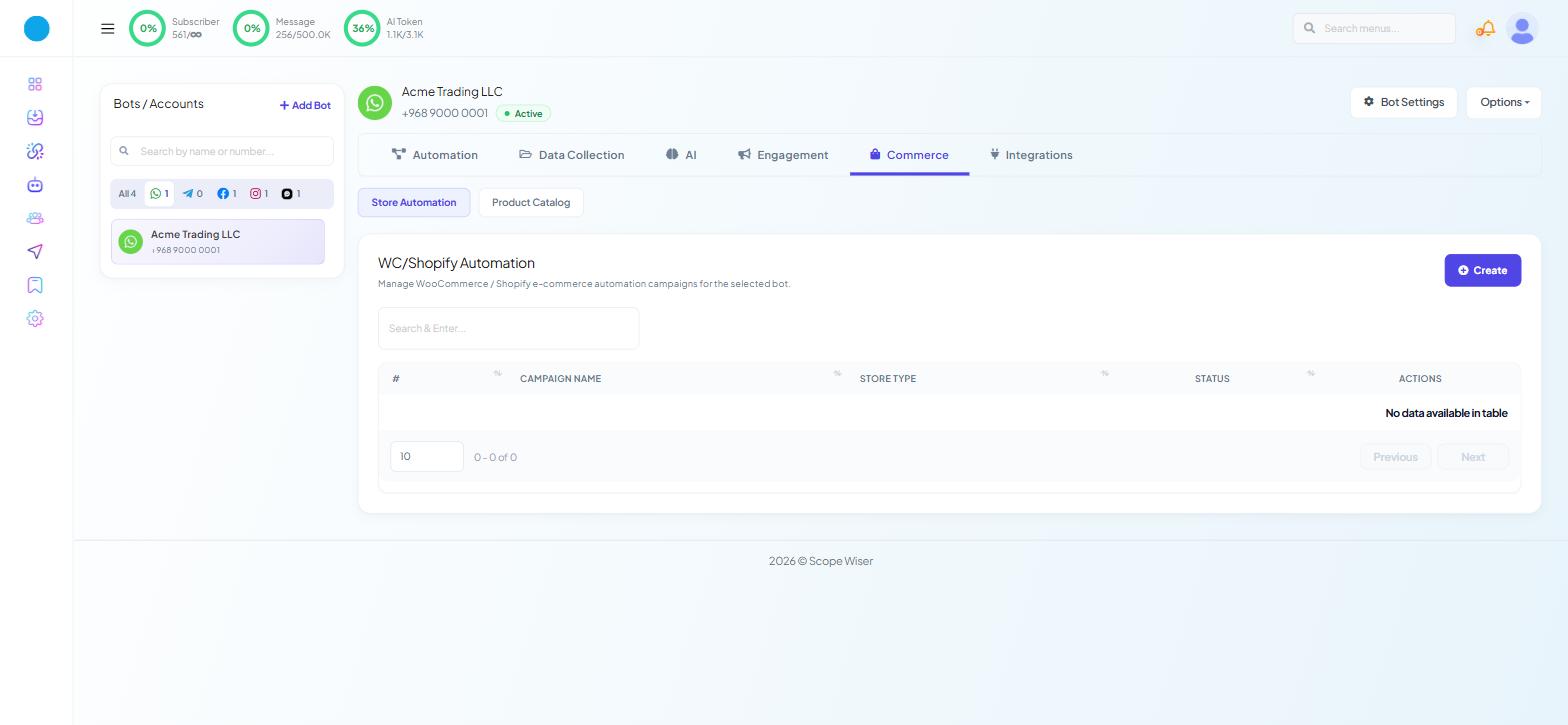
WhatsApp is the only channel with a Commerce tab in Chatbot Manager, holding Store Automation — headed "WC/Shopify Automation" and described as managing WooCommerce and Shopify campaigns — and Product Catalog. Under Connect Account, the available connections include Shopify and WooCommerce.
The Flow Builder palette also differs. On WhatsApp you have Interactive, Template Message and CTA URL Button, but no Generic Template or Carousel block. On Facebook, Instagram and Webchat you do get Generic Template and Carousel — the natural way to show several products side by side — but there is no Commerce tab, so catalogue-backed selling is WhatsApp-only.
Say which channel you mean in every internal spec you write from this, because a product-carousel design built for Instagram will not translate to WhatsApp unchanged.
Escalation that is worth having
Three conditions should reliably reach a person, each with its own label so the inbox tells your team what kind of problem it is before they open it:
An unresolvable lookup. The API reports a failed delivery, a missing parcel or an unexplained multi-day gap. This is a delivery exception, not a tracking question.
A distressed customer. Frustration, urgency or repetition, whether or not they ask for a human. Label it so the person picking it up leads with tone rather than process.
Out-of-scope commercial requests. Wholesale pricing, bulk orders, custom work, press. The sales agent should not improvise terms.
They arrive in the Shared Inbox, where the panel carries Customer Snapshot, Automation & Flow, Assigned Agent, Labels, Lists and Message Sequence — so the agent sees the saved size preference or order reference rather than asking again. Have them use Pause Bot and Pause AI from Quick Actions before replying.
One constraint to design around: the snapshot flags when a conversation is Outside 24H Window, after which WhatsApp allows only an approved template. If your escalation queue can sit overnight, build a template for the acknowledgement.
What to do next
Start with the order-status agent even though the sales agent is more exciting — it deflects more volume and it forces you to get the API discipline right. Calling External APIs From a Flow covers request setup and response mapping. To show a live product list built from an API response, Displaying Dynamic Lists From an API covers the pattern.