
Industry Deep Dive: Logistics
Almost every inbound contact a carrier receives is a variation of one question: where is my consignment? The rest are the consequences of not having answered it — a missed delivery, a rearranged slot, a claim.
That makes logistics unusually well suited to conversational automation, because the work splits cleanly into two jobs. Answer the tracking question instantly when it is asked, and send the update before anyone has to ask. Get the second one right and the first one shrinks.
Job one: the tracking lookup
The pattern is always the same. Recognise the intent, collect the reference, validate it, call the system that knows, and reply in plain language.
Recognise the intent. Two routes, and most operations want both. Keyword Replies under Chatbot Manager › Automation catches the obvious phrasings; an AI agent under Chatbot Manager › AI › Agents catches everything else. With AI as a Fallback Only selected in AI Response Mode — bot flows and keywords run first, and the AI answers only when nothing matches — the two work together rather than competing.
Collect the reference. A User Input Flow under Chatbot Manager › Data Collection gathers a defined set of answers as one consolidated record. For tracking that is usually a single field, but the flow gives you validation and a place to store the answer.
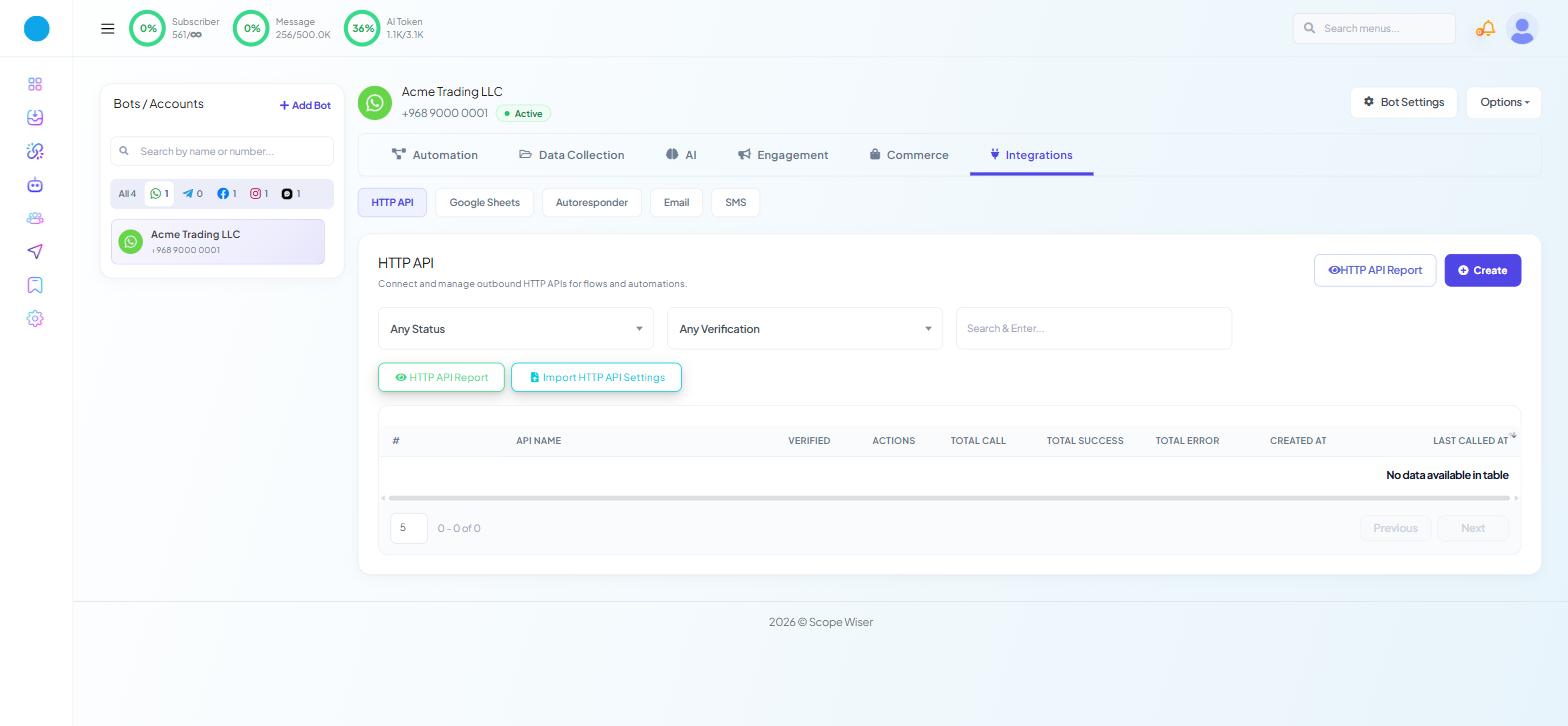
Call the system that knows. Saved requests live under Chatbot Manager › Integrations › HTTP API and are invoked from a flow or an agent. The discipline that prevents most failures: do not fire the request until the reference is present and looks right. A malformed consignment number returns nothing, and an agent with nothing is an agent that starts guessing.
Reply in plain language. Your TMS returns codes; customers need sentences. "Out for delivery, expected before 6pm today, driver on route 12" is useful. A raw status enum is not. Instruct the agent explicitly never to expose raw responses, error codes or field names.
Job two: telling people before they ask
This is where the volume is most likely to fall. A customer who receives "your parcel is out for delivery today between 2 and 4" has far less reason to message you at all.
The mechanism is Webhook Workflows under Chatbot Manager › Automation, described as building "webhook-based automation workflows" using data received from a third-party webhook call. Your transport system posts a status change; the workflow turns it into a message.
The create form asks for a WORKFLOW NAME and a MESSAGE TEMPLATE, with a TEMPLATE INFO preview of the selected template. There is also an AI Workflow Assistant panel — "Configure your webhook workflow with AI." — whose quick actions include Paste JSON sample and Map webhook data. Pasting a real sample payload from your own system is the fastest way to get the field mapping right, though it is worth checking its work: an assistant reading a payload can pick the wrong phone field and have it look entirely plausible.
Because these are WhatsApp template messages, each notification type needs an approved template before it can send. Build the set you actually need — collected, out for delivery, delivery attempted, delivered, delayed — and submit them together under Chatbot Manager › Automation › Message Templates, which offers Sync Templates and Create. Approval is not instant, so this belongs at the start of the project rather than the end.
If you have no API to call
Plenty of regional operators run on spreadsheets, and the product accommodates that.
Google Sheets appears in two places for two different purposes. As a knowledge source on an AI agent, a sheet gives the agent reference material it can answer from — service areas, cut-off times, surcharge rules. Under Chatbot Manager › Integrations › Google Sheets, the screen is headed "Google Sheet Data Fetch Campaigns" with the subtitle "Connect your google sheet for data fetching campaigns", and it takes an API Name and a Google Sheet List selection after you Connect Google Account and Verify Connection.
Running the other way, a User Input Flow's configuration panel offers Sync Data to Google Sheets alongside Forward Data to Webhook, so collected delivery instructions or rebooking requests land in a sheet your operations team already works from.
It is not an integration you would design from scratch, but it turns a manual process into a semi-automated one without a development project.
Service disruptions
A depot closure, a weather event, a border delay. This is a broadcast, not a workflow.
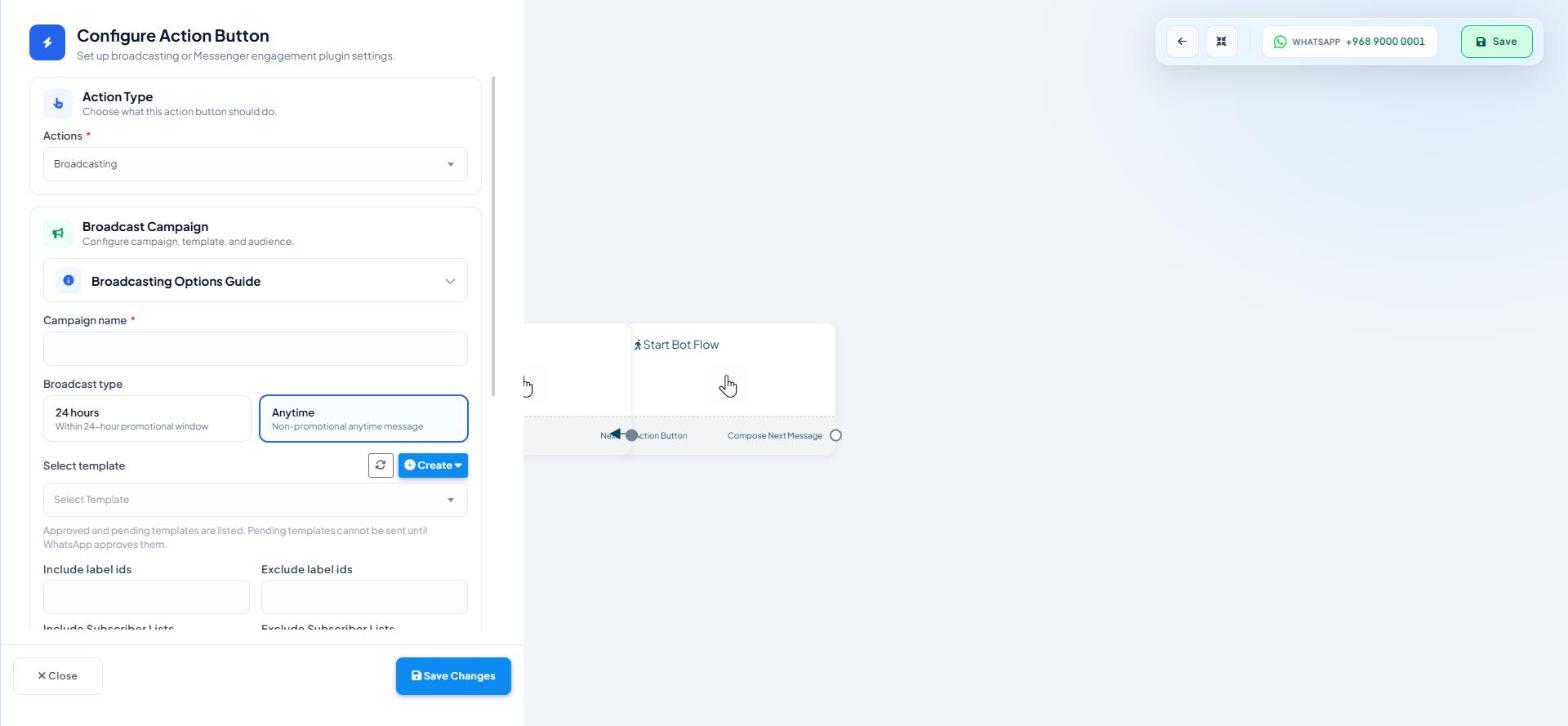
Broadcasting opens the Broadcast Center; + Create Campaign opens the Flow Builder with the campaign drawer, where the filters do real work for a carrier. Country of the subscriber narrows to an affected market. Include label ids and Include Subscriber Lists narrow to customers on affected routes, provided you have been labelling consignments by route or region as they come in. The drawer shows Targeted subscribers and your Daily WhatsApp Business Account (WABA) conversation limit before you send, which is worth reading on a large disruption send.
Note the Broadcast type choice: 24 hours ("Within 24-hour promotional window") or Anytime ("Non-promotional anytime message"). What separates them is not how promotional the message is but when the subscriber last wrote to you: 24 hours reaches only people who messaged you in the last day and needs no template, while Anytime reaches everyone else and requires an approved one. A disruption send is almost always Anytime, so the template has to exist first.
Exceptions still need people
Damage, loss, a customs hold, a claim. These are conversations, not lookups, and they should reach the Shared Inbox quickly with the context already gathered.
The conversation panel carries Customer Snapshot, Automation & Flow, Assigned Agent, Labels, Lists and Message Sequence, so the consignment reference the automation collected is visible to whoever picks it up. Have them use Pause Bot and Pause AI from Quick Actions before replying.
Watch for Outside 24H Window on the snapshot. Claims correspondence frequently runs across several days, and once the window closes only an approved template can go out — so a claims-update template belongs in your approved set alongside the delivery ones.
Which channel to build on
WhatsApp is the natural home for consignment notifications: templates make proactive sending possible, and recipients already have the app. It also has WhatsApp Flows under Data Collection for structured input, useful for a rebooking form with a Date field rather than a conversational back-and-forth.
Webchat is the right place for a tracking widget on your own site. Widgets are created under Connect Account › Webchat, at the Website Chat Widgets screen, where the setup drawer's first field is Chatbox disaply title (spelled that way on screen) followed by Website URL.
Facebook and Instagram matter for consumer-facing couriers, but neither supports the proactive template pattern in the same way, so treat them as inbound channels.
What to do next
Build job two before job one. Proactive status messages are the change most likely to take contact volume out of the queue; the lookup then handles the residue. Calling External APIs From a Flow covers the request setup and response mapping in detail, and Exporting Flow Data to Google Sheets covers the spreadsheet path if you are not integrating directly.