
Appointment Booking Automation
Booking is one of the automations whose return is easiest to see, because the saving is not the booking itself — it is everything around it: the calls answered to arrange a time, the calls answered again to move it, the slots that sit empty because someone forgot, and the deposits that were never taken.
Getting it right is mostly a design problem rather than a configuration problem. The rules you set determine whether the system protects your time or quietly ruins your week. This post works through those rules first, then covers what you need to have in place in Scope Wiser.
Appointment booking here is a WhatsApp capability: customers book, confirm or cancel from inside the chat, with no website form in the way. Two things to know before you plan around it. It is an add-on rather than part of every account — if you cannot see it, ask us to enable it. And it leans on Google Calendar, which is what syncs every booking to a real calendar and generates a Google Meet link for virtual services, so connect that first: Google Calendar: Connect, Create Calendars and Events is the prerequisite this article assumes.
Decide the rules before you touch a screen
Most booking systems fail because someone configured them optimistically. Work through these five questions with your calendar open.
How long does the appointment really take? Include the parts nobody counts — greeting the person, writing up afterwards, resetting the room. If a thirty-minute consultation genuinely occupies forty-five minutes of your day, book it as forty-five or use a buffer.
What buffer do you need between appointments? Back-to-back scheduling works on paper and collapses on contact with reality. One appointment that overruns cascades through the whole day. A ten or fifteen minute gap absorbs that.
How many will you take in a day? There is a number beyond which quality drops. Let the hours you publish reflect that number, not what the calendar could physically hold.
How far ahead should people be able to book? Two bounds, doing different jobs. An outer one keeps someone from booking eight months out and forgetting. A near one keeps a booking from arriving twenty minutes before it starts, when you are already with someone else. An hour of notice is a reasonable default; a service that needs preparation may want a day.
How late can someone cancel? Setting this too tight fills your diary with no-shows. Setting it too loose makes people feel trapped and produces no-shows anyway. Long enough that you can refill the slot is the right answer — often four to twenty-four hours depending on your demand.
Write these down as numbers before you configure anything. Changing them later means changing what you promised customers.
Availability is where most of the thinking goes
Two kinds of rule, and you need both.
The normal week. Availability is set per service — a consultation and a treatment need not share a diary — and it is where the days, the hours and the buffer between slots live. Split a day into two blocks to protect a lunch break rather than trusting yourself to decline bookings over it. This is also where the meeting type is decided: mark a service virtual and it gets a Google Meet link automatically, or in-person and it shows your location instead.
The exceptions. Public holidays, a conference, a morning blocked for something else, a one-off Saturday you are opening. However your setup expresses these, the behaviour to verify before you go live is that a closure genuinely beats the weekly pattern — a day you have closed should be unbookable even though your normal week says you work then. Test it with a real booking attempt rather than assuming it, because closures are the rule you cannot afford to get wrong.
Two habits keep this maintainable. Block the whole of a known closure period in one go, rather than day by day. And put a recurring reminder in your own calendar to add next year's holidays, because a booking system that lets someone book you on a public holiday is worse than no booking system.
Deposits and payment
Taking money at booking changes behaviour more than any reminder does. It also adds friction, so it is a trade rather than an obvious win.
Take a deposit when a no-show costs you a slot you cannot refill, when your appointments are long or expensive, or when you have a repeated problem with people not turning up. Skip it for short consultations, first conversations and anything where the appointment is itself a sales step — charging someone to talk to you about buying from you is a strange message to send.
If you do take one, be explicit in the booking conversation about the amount, whether it comes off the final price, and what happens to it on cancellation. Ambiguity here produces disputes that cost more than the deposit.
Payment is collected during booking through a supported payment provider. Never ask for card details as chat messages — a WhatsApp thread is not a payment form, and a screenshot of one sitting in a customer's phone is a problem for both of you.
Capture the data at booking, not afterwards
A booking generates a small pile of useful information: who, when, for what, how much they paid, which link the meeting is on. If that lands only in a calendar entry, you cannot segment on it, report on it or follow up from it.
Two places it should go.
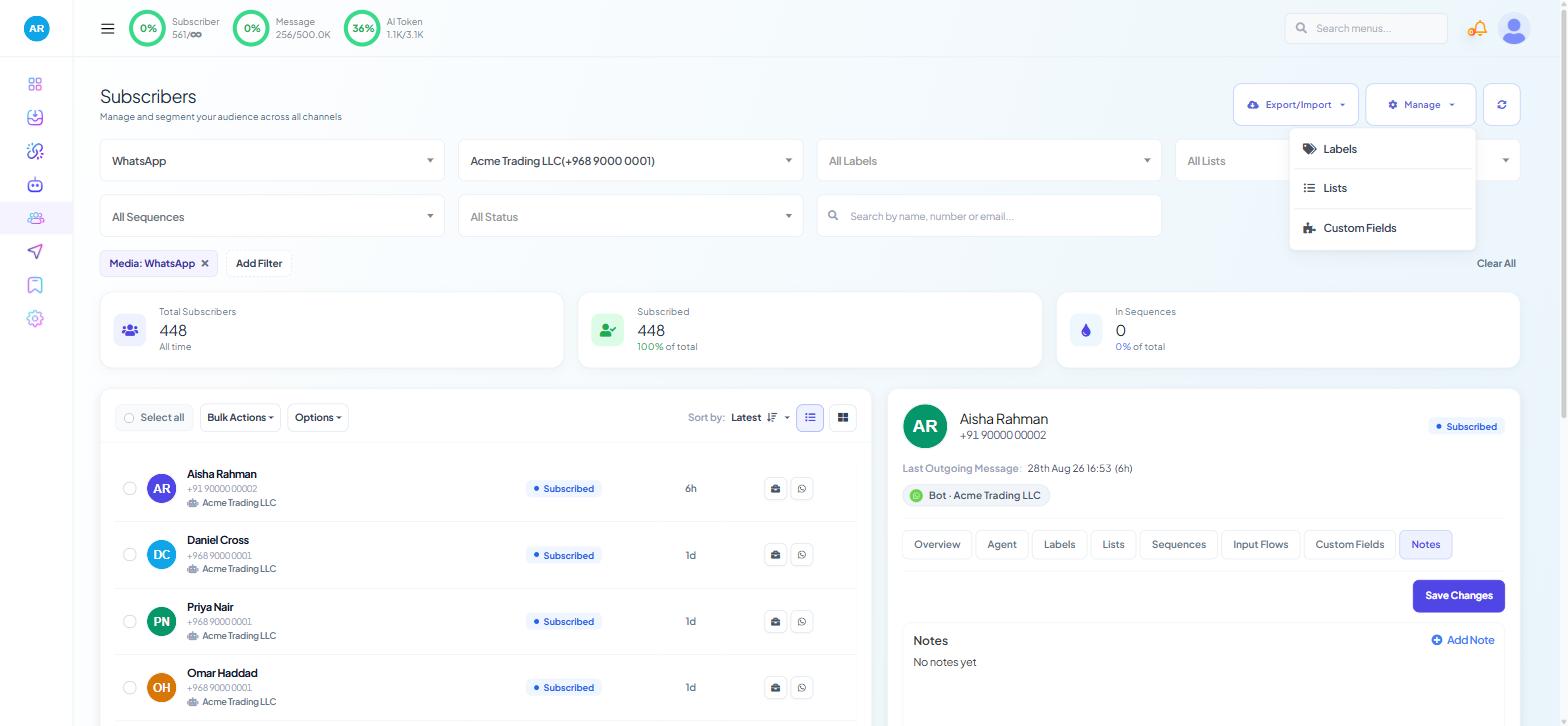
Onto the contact record. Map the booking details to custom fields on the subscriber, so that later flows and campaigns can read them. Custom fields are created under Subscriber Manager › Manage › Custom Fields, and they need to exist before you can map anything to them — so create them first. The details worth storing are the ones you will want to act on: appointment name, date and time, status, amount paid, and the meeting link.
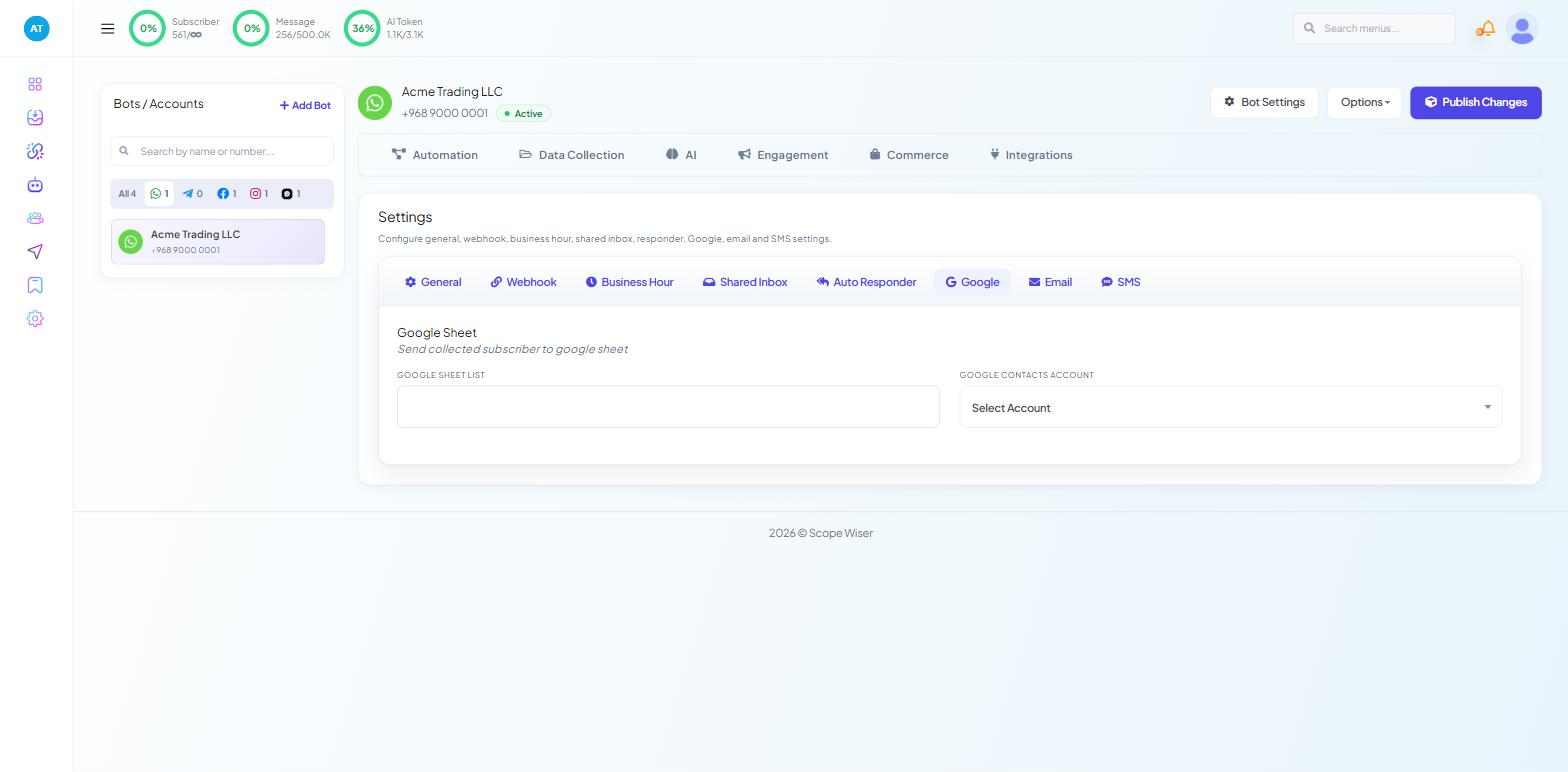
Into a sheet, if anyone needs to see it outside the platform. Writing bookings to a Google Sheet gives your team a view they can filter and share without needing an account. Google connections are made from Connect Account › Connect Google, and the Google integration screen ("Connect and manage your Google accounts, sheets, and calendars") shows what access you have granted, including calendar access.
Then use it. A booking can assign a label, trigger a sequence and update custom fields on its own — so a label applied on booking lets you exclude those people from the campaign that tries to get them to book, and a sequence triggered at booking can send preparation instructions the day before, without anyone remembering to do either.
Reminders, which are the whole return on investment
Everything else in this post is scheduling hygiene. Reminders are what actually reduce no-shows, and they are the reason WhatsApp is a better booking channel than email — the message arrives, gets read, and can be replied to.
Confirmations, reschedules and cancellations go out automatically, and you choose when the reminders send. A pattern that works for most businesses:
Confirmation immediately, restating date, time, place and what to bring.
A reminder the day before, with a clear way to cancel or move. Making cancellation easy feels counterproductive and is not — a cancellation the day before is a slot you can refill, and a no-show is not.
A short reminder on the morning, for appointments people travel to.
Resist adding more. Three reminders for one appointment is attentive; five is nagging. Read the default confirmation, reschedule and cancellation wording before you launch, the way you would read any message every customer receives.
Where the reminder needs to go out beyond the 24-hour messaging window, it needs an approved template — so write and submit those before you launch the booking flow, not after.
Rescheduling and cancellation
The rule of thumb: make changing an appointment as easy as making one. Every barrier you put in front of rescheduling converts a moved appointment into a no-show, which is worse for both of you.
Cancelling is something the customer can do from inside the same conversation, which is most of the battle — no email, no phone call, no waiting for you to open. Where a change has to go through you instead, moving or cancelling the booking notifies the customer on WhatsApp automatically and frees the slot, so the calendar and the customer stay in agreement without a second message from anyone.
The other half is your own consistency. Whatever notice period you have told customers about has to be applied the same way every time, and someone who runs into it should be told so plainly rather than left with a booking they think they cancelled.
What to measure
No-show rate, before and after reminders. This is the number the whole project exists for.
Cancellations inside your window, which tells you whether the window is set sensibly.
Bookings made outside working hours. Often a large share, and the clearest evidence that automation is capturing demand you were previously losing.
Slot utilisation against your daily maximum. Consistently full means you can raise prices or add capacity; consistently empty means the offer, not the system, needs attention.
What to do next
To decide what else in your inbox is worth automating alongside booking, work through Chatbot Use Cases by Industry. If you want bookings visible to colleagues who do not use the platform, Exporting Flow Data to Google Sheets covers the sheet connection in detail.